Canceling Netflix in the United States is straightforward when you use the account that pays for the membership. Most people finish in a couple of minutes from a browser. The sections below cover website cancelation, app/TV limits, Apple/Google/Amazon billing, and what to do if a charge still posts.
How to cancel Netflix subscription (US). Cancel Netflix in the United States on web or mobile, see when billing stops, and what happens to downloads and profiles.
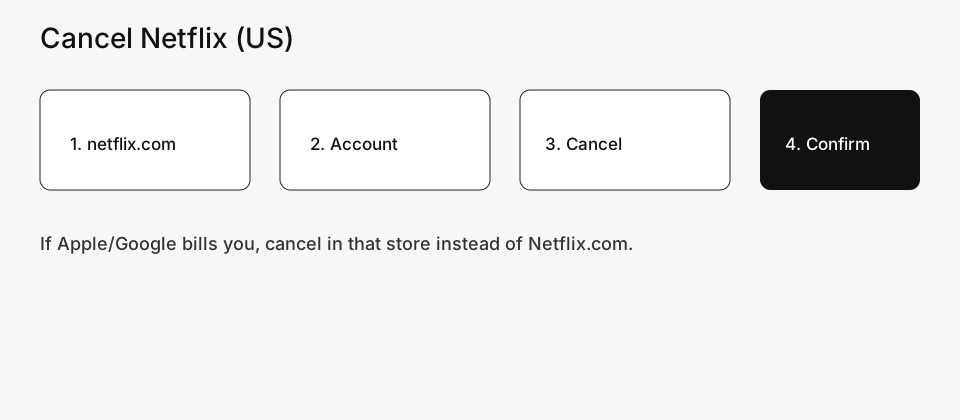
Cancel Netflix on the website (recommended)
- Open a browser and go to netflix.com. Sign in with the owner email or phone number—the one on your bank or PayPal statement.
- Select your profile if asked, then open the account menu and choose Account.
- Find Membership, Plan details, or Cancel membership (labels rotate).
- Choose Cancel Membership, confirm, and wait for the on-screen confirmation.
- Check email for a cancelation message or screenshot the status showing you will lose access on a specific date.
Will I lose Netflix immediately?
Usually no. Netflix keeps working until the end of the period you already paid for. After that date it should not renew. If you restart before the end date, billing rules follow Netflix’s current restart policy.
Cancel from a phone app or smart TV
- Many phone apps hide cancelation or only deep-link to a browser page.
- Smart TV apps almost never complete cancelation. Use a phone or computer browser instead.
- If Netflix was added by a mobile carrier “plus” plan, cancel inside the carrier account, not only inside Netflix.
If you subscribed through Apple, Google Play, or Amazon
When the store owns billing, Netflix’s site may say you must cancel with that store.
- Apple: iPhone/iPad Settings → your name → Subscriptions → Netflix → Cancel Subscription.
- Google Play: Play Store → profile → Payments & subscriptions → Subscriptions → Netflix → Cancel.
- Amazon: Amazon account → Memberships and Subscriptions → Netflix → Cancel.
Shared household / extra member confusion
- Only the paying account owner can cancel the membership.
- A profile password is not the same as the account password.
- If someone else pays, they must sign in with their credentials to cancel.
Still charged after you canceled
- Match the charge date to your cancel confirmation date. A charge that posted before cancel is often the current period.
- Confirm which platform billed you (Netflix direct vs Apple/Google/Amazon/PayPal).
- Look for a second Netflix account under another email.
- Contact Netflix billing chat with: cancel confirmation, last four of the card, and statement date.
- If the charge is truly unauthorized after confirmed cancel, open a card or PayPal dispute with your proof.
Related guides on Complaintpage
FAQ
How do I cancel Netflix in the US without the app?
Use any browser at netflix.com → Account → Cancel membership.
Can I cancel Netflix and keep watching until month end?
Yes in most cases—you keep access through the paid period.
Why don’t I see Cancel Membership?
You may be on a profile-only login, a partner-billed plan, or the wrong Microsoft/Apple/Google account. Try the owner login on the website or the store that bills you.
Official reference: Netflix cancel membership help.
Related guides on Complaintpage
More cancel & billing guides
- How to Cancel Amazon Prime (US)
- How to Cancel YouTube TV (US) — Membership, Add-ons & Billing
- How to Cancel Xbox Game Pass (US) — Console, PC & App Store
- How to Cancel HelloFresh (US) — Skip, Pause & Full Cancel
- TD Bank Credit Card Dispute (US) — Steps & Evidence Checklist
- U.S. Bank Credit Card Dispute (US) — How to File Online
Cancel Google Play subscription
Top US billing & dispute guides
Start here if Google sent you for a specific problem — these are the current priority pages:
Related guides
- Rakuten Cash Back Missing? Track Order & Fix It (US)
- Dispute an Amex Charge Online (US) — Steps & Deadlines
- Capital One Charge Dispute (US) — App & Online Steps
- Open a PayPal Purchase Dispute (US) — Resolution Center
- Cancel PayPal Automatic Payments (US) — Stop Recurring
- Cancel Spotify Premium (US) — App, Apple & Google Play
- Amazon A-to-z Claim (US) — When & How to File
- Cancel Amazon Prime (US) — Membership Settings Path
- Phone Insurance Claim (US) — Carrier Device Protection
- Cancel Disney+ Ireland — Web, iPhone & Google Play
- Hotel Overcharge or Wrong Rate — How to Complain (Ireland)
- Dispute a Credit Card Charge (US) — Bank Steps
- Stop Bank Autopay (US) — ACH & Bill Pay Off